
How To Manage Large Accounts Successfully
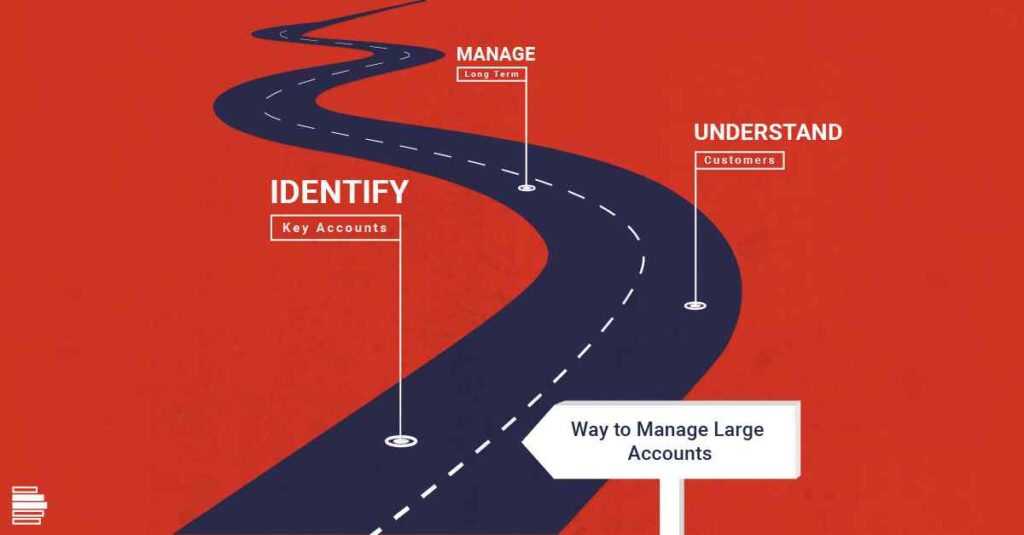
While the short-term success of any sales organization relies on the quality of its offering and the individual abilities of sales team members, long-term success is rather different. Indeed, success in this area is less about sales skills and more about the ability to manage relationships with existing clients through key account management. In this article, we look at the best ways to manage those large accounts successfully, so that you build lasting relationships, are able to adapt as their needs change and, ultimately, maximize the lifetime value of customers. Learn More: Role of Artificial Intelligence (AI) in Large Enterprise Account Planning Identifying Key Accounts One of the first steps to successfully managing your large accounts is to identify them and decide which of them constitute key accounts. The precise definition of a key account will vary from business to business, but there should be some shared attributes that separate them from your other accounts. It may be that your key accounts are all your biggest accounts, but this is not always the case. You should consider things like the frequency of business, whether there is the potential to sell them additional products or services in the future, whether there are further collaborative opportunities to work towards, and so on. “Good advice here is to start small,” says Lynette Ryals, writing for the Harvard Business Review. It is easier to add customers to your account management program than it is to ‘demote’ customers once you have told them they are key accounts. Be clear about what defines a key account and stick to that. Understand Your Customers Next, you need to truly understand the people and businesses behind those key large accounts, because the more you know about them, the more personalized your service to them can be. Obviously, you need to know what their business does, but it is also important to understand what the key challenges in their industry are, who their competitors are and what their goals are as well as recent developments and news within the organization. Miller Heiman Group’s Large Account Management Process goes into more detail about enhancing the relationship between the buying and selling organization, helping to unlock the true potential of strategic account management. The aim of the program is to help businesses to analyze relationships and set measurable goals. Of course, technology also has a key role to play, not only in terms of organizing information through CRM systems but also in acquiring some of that information in the first place. Thanks to the internet, a huge amount of useful information is now publicly available and can be used for sales management and sales prospecting purposes. Manage For the Long-Term Finally, it is important that once large accounts have been established and key accounts have been identified, those accounts are managed for the long-term, rather than sacrificed for short-term success. This means maintaining relationships during non-sales periods and using the information you have to spot potential changes in advance. “Key account relationships should outlive the KAMs and all the members that constitute the key account management teams,” says Milind Katti, CEO of DemandFarm. Therefore, it is critical to building account and people knowledge into the system so all internal stakeholders are tuned in and can do their part seamlessly. Crucially, a huge amount of large account management is not actually about making a sale – at least not right now. The absolute key to account management is customer retention and this should be over several years. As a result, the focus should not simply be on today’s opportunities, but also on opportunities in the distant future. If you’re interested in transforming your sales post the pandemic, explore our blog on Sales Acceleration in Account Management and how it can help you grow your business in 2021.
Account Planner – Simple is powerful and beautiful too

Key Account Planning over the decades has become complex and theoretical. Most Account Managers just check the box by filling in the template at the beginning of the year and forget about it. In some companies, I have seen the worse. Good Account Managers (who achieve their numbers) just ignore the templates. Account Planning has been around for years. Did you know that 65% of a company’s business comes from existing customers? Or that 80% of your future profits are likely to come from 20% of current customers? In other words, building and cultivating healthy relationships with clients is one of the most effective pathways to exponential growth. With so much at stake, it’s no wonder that 61% of companies consider strategic account management as the key to increasing revenue, profits, and customer satisfaction. While the importance of account management is unquestionable, its implementation leaves a lot to be desired even today. In fact, 71% of companies believe that sales improved by less than 26% since launching their Account Management programs. This observation made us launch ‘Account Planner Pro’ last month while we already have ‘Account Planner Enterprise’ with all the bells and whistles. Account Planner is simple, beautiful, and thus powerful. This is the easiest account planning ever if you use Salesforce or Microsoft Dynamics. This is an one pager app inside your CRM where: Zoom in to your account to build an Account Landscape in 60 seconds. Map opportunities to know where your current engagements with the customer are and therefore where are ‘whitespaces’ of growth. Map competition & relationships. Create a plan with revenue goals and activities. Track the progress I promise you that Account Planning was never this easy. Salesforce Account Planning and MS Dynamics Account Planning are at your fingertips. Go ahead TRY – Ask your CRM admin to install
Key Account Management sans Org Chart
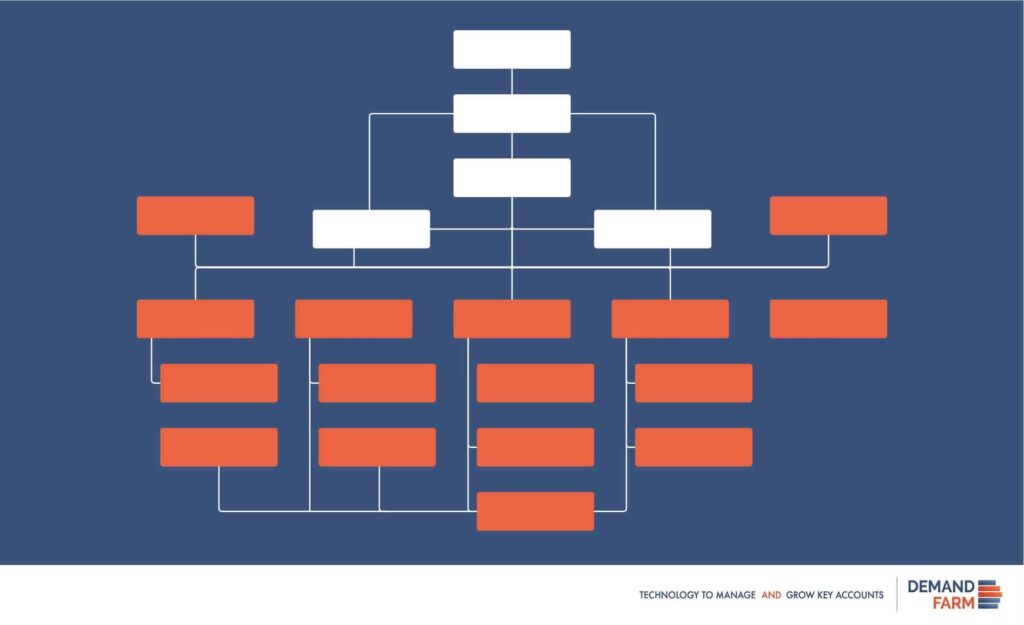
What does a 19th-century management tool get to do with modern-day key account management.It is not surprising that the org chart never gets its due. Partly because it is just that – an org chart. How about looking at the org chart as a key account management enabler?Interesting, right?I was as surprised as you are. The current version of the org chart that your business is using may not be equipped to do so. But, org charts do hold that power. If you aren’t using any, even better. You could give a new growth dimension to your existing key account management process. To understand how an org chart software enables key accounts, it is vital to understand the ‘powerful’ role of the key account manager (KAM). The Key Account Manager (KAM) The KAM is the face of the supplier to the key account. Over the many months and years, the KAM gathers many insights across : Business and market environment Relationships amongst the key account stakeholders Context of the relationships with the suppliers Assessment of internal capabilities to deliver towards common goals with the key accounts All this is powerful knowledge that unfortunately resides only with the KAM. If lucky, some of this knowledge will get documented, only to go missing in someone’s hard drive (or cloud).No wonder when key account managers leave organizations, they carry the Key Accounts with them. Not fair. It just doesn’t make sense. A key account management org chart is capable of addressing this shortcoming. And if such an org chart leverages cutting-edge modern technology to integrate with HR and CRM systems, it could go beyond the human prowess of a KAM. A modern-day org chart will not only answer key questions on KAM relationships, it will also show and prompt the necessary business action. No Org Chart, No Key Account Management To help DemandFarm’s audience understand the value of a key account management org chart, an eBook titled “No Org Chart, No KAM” is being released. This eBook covers the following : The Origins of Org Chart – This historical context will help establish the prevalence of the Org Chart as a potent management tool that has transformed business and society. Strategic Role of Org Chart in Key Account Management – It is a misconception that an Org Chart is only an HR tool. The section of the book attempts to provide a new context. Org charts can add valuable insights into the depth of relationships within key accounts. An Org Chart is not enough – A simple key account management org chart on paper or a PPT is a good start. But what is truly needed is a dynamic ever-changing org chart builder that represents hierarchy, influence, power equations, and relationships. KAM Power of an Org Chart – An org chart for strategic account management done well has the power to do better than ‘human’ account managers. It ensures continuity. It institutionalizes key account management. It is after all just an Org Chart. It may be times for a new perspective. Do read the eBook. Also, note that DemandFarm offers Salesforce Org chart and MS Dynamics Org chart
Measuring Sales Effectiveness for Social Selling

Social Selling is quite becoming the norm for many organizations. While most are quick to adopt newer ways of selling through the new age media like Social Media in the hope of bettering the sales targets, many may not be aware of whether these new techniques are even effective. Many are not aware of how to measure the sales effectiveness of these techniques for their sales force. Social Selling involves a more personal mode of selling, it involves the building of relationships, one-on-one through Social Media. It means measurement takes on a new meaning entirely. It takes into account the fact that sales is not merely about a number of calls and emails sent, meeting scheduled, but about lead farming and nurturing. Here, we give you ways to measure the Sales Effectiveness of your sales force for these sales techniques. These techniques will measure your sales team’s ability to build a quality relationship mapping by tracking these skills and activities. Since most Social Media has both, a qualitative and quantitative angle to them, we need to consider both, as we move through the ways of measurement, below: Let’s begin. Establishing your online professional brand: What is the effort that your salespeople are putting in to build their profiles on Social Media? What are they doing, sharing, discussing there that keeps the prospects engaged with your products and services? Are they writing blogs in the domain, which establish your company as a thought leader? Are their blogs read, followed and commented on? It is found that salespeople who display a willingness to talk about what value their company offers to a prospect, with equal enthusiasm time and again, is an indicator of their ability to connect with prospects better. What are the salespeople publishing about your brand online? Are they well prepared with their elevator pitch as well as their nurturing methods? Do they know what differentiates their product from the competitors? What the salespeople post online and how it is received by their online audience is a good indicator of sales effectiveness in Social Selling. Finding the right people. Building the right network: Social Media Channels have various tools, many of them free for a certain limited number, that help in identifying prospects. Are your salespeople using these tools or if not, doing things manually – making lists of people they would like to be connected with? Are they increasing their sales pipeline? Do they know who the decision-makers are? Do they have a strategy and a calendar plan to connect with these prospects? How networked is your sales team? Salespeople should leverage their first level contacts on their network to seek an introduction to their second or third level contacts; unless they do that, or they personalize their invite while sending out a request to connect, it may be seen as a cold call and may die a premature death. Sales effectiveness can be measured by analyzing the strategy your sales team uses to build a network and a strong pipeline. Insight knowledge and insight mining: As we have already seen in one of our earlier blogs, insights into the domain of the customer is a strong skill set every salesperson needs to possess. In Social Selling, this domain knowledge and insight into what exactly the customer may be looking for is seen through how your salesperson authors content. Is he writing like a thought leader, thinking like one and connecting with prospects through his content? Has he been able to hit the pain points and offer a solution for those? The fastest way to connect with a prospect is to be able to precisely identify his pain point and take the time and effort to provide information to solve it. Another way of measuring effectiveness is to measure the open rates of InMails sent by your salespeople. This is a LinkedIn tool that measures the open rates. It depends on how you craft your sales messages. You have to have a method that is more nurturing than pushy. Who are the people that matter? Who should you connect with? Social selling is not about the number of connections you tote on your profile. It is about the right kind of connections. Are you connecting with the decision-makers? This can be tracked by measuring the accepted requests vis-à-vis the sent requests. Another way of measuring is to find out how many key connections does your salesperson has in each of his Key Accounts. It is important to have multiple good contacts and key contacts into a single Key Account. A merging of your CRM contacts with the building of contacts on Social Media could make all the difference to your customer relationships and your Key Account management relationships. Social Media marketing Tools built into Social Media can pretty much measure Sales Effectiveness, effectively. However, there are going to be missing links in these tool measurements, which with time will be filled. Until then, Social Selling measurement for impact can be used as a complement to more traditional ways of measuring sales effectiveness. Explore our blog on cross-selling and up-selling in which we’ve elaborated how it can be used to grow business in 2021.
The Best Org Chart Software doesn’t help KAM
If you are wondering what is the connection between what an org chart software does and key account management, I encourage you to read one of our previous blogs. The connection isn’t apparent. But, organizational charting is critical to key account management success. The org chart software market is crowded, fragmented, and under-penetrated. Not all organizations need sophisticated software to draw organizational charts. Excel, PPT, and good old paper still do the work, pretty much. I am sure you don’t want me to write about the reckless org chart printouts that users take. Let us dig a little deeper. A search for “Best Org Chart Software” throws up many options. At one end you have enterprise versions like LucidChart, software to support Visio to many products for small businesses that are also free. Can these aid key account management and its associated complexities? I am afraid, “No”. The following are the reasons why the best org chart software in the market does not help Key Account Management at all. Purpose of the Best Org Chart Software Org Chart Software is not designed for Key Account Management. The software’s purpose is very different. Let me illustrate this with an example. Turn to any of the software listing websites like Capterra, Software Advice, G2Crowd. Did you notice that Org Chart Software is usually a sub-category under Human Resources Software? What does that tell you? The org chart software available in the market caters to HR requirements. The software features, at best, address the operational problems in building business-friendly usable organizational charts. Key Account Management Insights Org Chart Software for Better Key Account Management explained the role of a specific type of org chart that would be a valuable aid for key account managers. Key account managers require an account facing an external organizational chart. Such an org chart builder must highlight the possibility of value creation for the KAM’s account. The existing software in the market cannot serve this purpose and innovations in KAM technology over the years have experienced a dormant growth rate. Because they are inherently passive and do not capture the changing situations under which KAMs operate. An Organizational Chart for key account management has very specific requirements that are often nuanced. Salesforce Integration Businesses with established key account management practices also happen to be Salesforce power users. The best organizational chart software for key account management should sit on top of existing CRM systems like Salesforce. This would give it the necessary prowess to render org charts dynamically, as demanded by business. DemandFarm offers Salesforce Organization chart and MS Dynamics Org chart software in the market integrates well only with ERP systems and other HR software. Key Account Management needs its own Org Chart DemandFarm’s blog has always made a case for a continuous strategic approach to key account management. Understanding the role of stakeholders that comprise an account is a valuable piece of information. As stakeholders increase within an account, insights tend to decay. This adds ambiguity to decision-making. At times, it could also mean compromising revenue goals. Thus, impacting even the business plan. A good organizational chart for key account management is just good business. Isn’t it?
Best Organizational Chart Software for Key Account Management
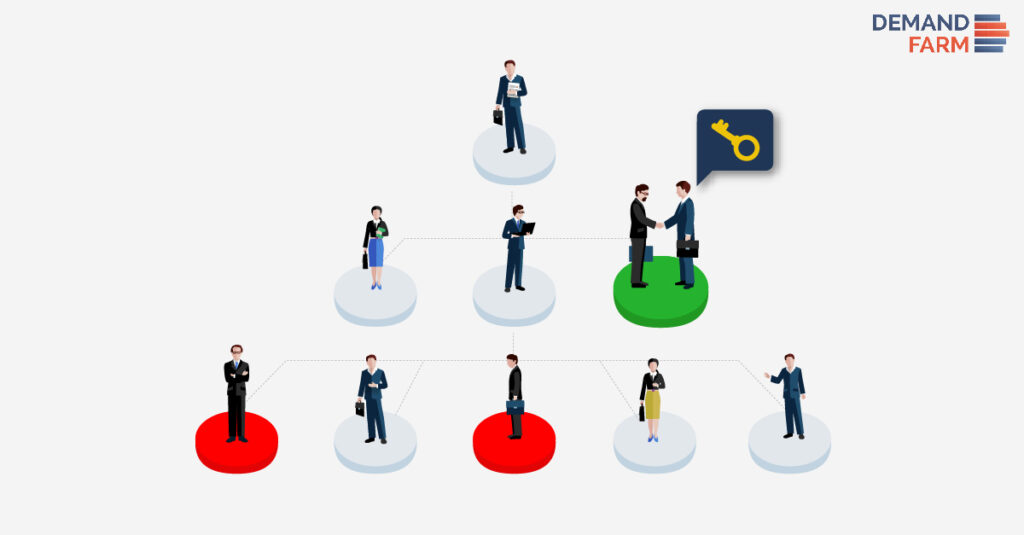
Org Charts are traditionally created to illustrate graphically the organization’s formal hierarchy. Its main purpose is to show the relationships and job positions of all the employees of the organization. Employee names and titles are depicted in boxes with lines linking them to departments and other employees. By looking at the chart, viewers can understand the structure of the organization, levels of seniority, and where each employee lies in it. Various organizations can use org charts internally to do any of the following: Leaders can effectively manage growth/change Employees can understand how their work impacts the organization Improved communication An employee directory for ready reference Present other types of information, such as business entity structures and data hierarchies Org Charts can be quite helpful internally, but did you think that they would be even more so externally? We, at DemandFarm, believe that there are better uses for it than just creating a formal hierarchy for internal use. As discussed in this blog the essence of key account management is value creation. But what if a key account manager can create an incredible value proposition, but doesn’t know who to tap into the client organization to ensure that it is given a fighting chance? The best organizational software is one that allows this hapless key account manager to understand how to navigate the murky waters of value addition for clients. I would love to say that this is the perfect business opportunity and you should rush out and make such software. But unfortunately, there is no denying that many have already understood the value of this type of org chart software. There are many options in the market currently. But with so many options of organization chart software how is a key account manager to decide which one is the best? Which is where we come in! We’ve collated a list of the key features that the best of the best organizational chart software should certainly have to effectively help key account managers. Superior UI and UX The way a user interacts with the software and how his experience with it is has to be one of the most important features. It isn’t enough to just give great results, the user shouldn’t struggle to reach those results. Highly Visual An ideal organization chart software shouldn’t be list-oriented, it should be extremely visual. A user should be able to understand in a single glance exactly what relationships the different participants have with one another and the key account manager’s organization. Drag and Drop Functionality Key account managers are a busy lot and physically sifting through large volumes of data and changing properties can be much too time intensive. Having a simple and quick drag and drop functionality that allows users to drag and drop contacts into an org chart is a feature to look out for. Flexibility in Purchase Although an organizational chart software isn’t a big-ticket purchase like a comprehensive key account management software, flexibility in payment terms should be sought out. Try before you Buy Isn’t it very annoying when you download the free version of the software and have to purchase it for additional features? Some Organizational Chart Software allows you the option to try a full version for free for a limited period and then purchase it if you like the functionality. Flexible Payment Options Organizational Chart Software can have multiple payment options. Depending on feasibility you can either opt for a monthly, quarterly, or yearly payment. These tailor-made payment plans can allow your organization to allocate limited resources elsewhere. Key Account Manager Specific Minimal Data Entry Having a standalone Org Chart Software will require key account managers to input large volumes of data which is highly unnecessary in the golden age of Salesforce. A 100% Native to Salesforce app can allow you to use your Salesforce data to create org charts eliminating any additional data entry. Internal Influences A formal hierarchy can only take key account managers so far. In an organization some people may have a considerable influence on the budgetary allocation and some may also be in a position of influence with CXO level officials; despite being lower in the formal structure. An ideal Organizational Chart Software should represent this data visually to ensure a better understanding of which contacts to tap for key account managers. Relationship Strength In large organizations, there may be some contacts who may be ardent supporters of your organization and others may have proven to be detractors. Trying to tap a detractor can lead to a key account manager running around in circles. The ideal organization chart software should clearly define all champions, promoters, and detractors to ensure that key account managers know exactly who to approach. Accessibility across Teams The biggest problem with key account management teams in the presence of “tribal knowledge“. A key account manager handling a particularly prime account may take with him this tribal knowledge if and when he leaves the organization. If the organization chart he created can be accessible to the entire key account management team, the loss of data can be limited to a large extent. These are just some of the features we think that every Organizational Chart Software should have but what do you think? Do let us know in the comments below!
Alleviating Key Account Management pain with Salesforce

Alleviating Key Account Management pain with Salesforce How do you feel this time of the year with Yuletide and the New Year’s around the corner? “Mixed emotions.” If you are a Key Account Manager, I can perhaps understand your answer. It isn’t so much about the pressure of time than the complexity of doing key account management in perfect detail. DemandFarm, in its many posts, has dealt with the issue of complexity in key account management. Here is a short recap. The complexity stems from two broad factors: Strategic – Key account managers confront the tough job of thinking clearly and unambiguously on two business fronts. One, about the client’s business challenges or growth opportunities. Two, understanding one’s product and service offerings, to offer a credible solution to the client. Operational – On top of the strategic ambiguity, there is a long list of operational hassles account managers have to deal with. Account plans siloed across systems – many powerpoints, word documents, meeting minutes and emails. Ineffective activity management thanks to multiple excel sessions which becomes unwieldy quickly. Managing meetings with stakeholders both internal and external. Plus the added trouble of managing CRM applications across many devices. To address the above challenges and the complexity associated with it, businesses the world overturned to CRM applications, particularly Salesforce. For businesses, it was to instill a new way of working on Leads, Contacts, and Accounts. Well, almost !!! Everybody loves Salesforce The world’s favorite CRM should not sound like an exaggeration when it comes to Salesforce. “Salesforce is to businesses what the iPhone is to consumers,” said someone. This statement may sound too casual, but reflects the inherent power of the Salesforce.com CRM system. The latest Salesforce study from Bluewolf – an IBM global Salesforce consulting agency – is a strong testimony to the power of this CRM system. 86% of the surveyed 1800 Salesforce customers believe they can use Salesforce to drive innovation in their business. The survey goes on to highlight that 83% of the IT function believe the same. It is indeed noteworthy that Salesforce has been able to get vehement buy-in from one of the most challenging user segments, in this change management exercise. Such is the power of Salesforce. Salesforce faces challenges, nevertheless. The single biggest risk to a Salesforce implementation remains – Change Management. Because it is a new way of doing sales, business development, customer experience. Yes, it is about changing the culture, capturing data, maintaining activity logs, getting rid of spreadsheets, putting rigor into doing and documenting sales meetings. Yes, it is not easy. Organizations and teams who look beyond the ease, find the rewards. Salesforce Key Account Management Fundamentally, Salesforce isn’t built for Key Account Management. It is built for opportunity management. It keeps sales teams focused on what needs to be achieved. It does by providing them with a ready-to-access dashboard that documents every day how sales teams are going about their planned goals. Given the structural difference in how Salesforce is built, it does not ‘naturally’ address the necessities of key account management. Account management and sales leaders address this gap, through Salesforce customization requests and applications from the Salesforce App Exchange. A good bunch also learns to live with the inherent account management limitations of Salesforce. In most cases, DemandFarm finds that account management is done outside of Salesforce. Dgt27, a Salesforce consultant in NYC, assists businesses in doing account planning. These account plans reside in distributed documents – PowerPoint, Excel, notes, and Word documents. We are yet to fully understand why? If you are an account management professional and see this happen in your organization, I request you to document your perspective in the comments section. So how do strategic account management teams address limitations with Salesforce? 1) Strategic One – View of Key Accounts This is a fundamental issue faced by many strategic account managers. The Salesforce system’s inability to present a single view of the overall account plan. Not all the reasons are directly related to Salesforce. Scattered & Siloed Data – During the planning process, account plans tend to get distributed. Multiple versions of the same file tend to exist, creating confusion and wasting precious key account manager time. Non-standard approach – Many variations exist in account plans thanks to the lack of a standard approach in capturing data and checking its quality. Account Planning outside Salesforce – It is ironical but true. All accounts data and information are within Salesforce, but all the planning actions happen outside of it. In many cases, the carefully drafted plans also remain outside of salesforce, thus unable to impact the accounts to the maximum. KAMs lack a central view of account plans. This compromises insights. Thus, resulting in improper forecasting and inefficient allocation of resources for maximum impact. Account structuring also takes a knock because of this issue causing ineffective account management initiatives. 2) Usability User experience is an important driver to usage and adoption. A lack of ease of use is a deal-killer. It is not an issue that is discussed too often in the context of key account management. It is not difficult to figure out why this is important. Just look around. Every human on the earth is using cutting-edge web and mobile apps on the latest smartphones. Facebook, Instagram, Snapchat, Amazon shopping, LinkedIn and the list is endless. So, how would their expectations be about using digital applications? As good as it gets, right? Usability of Salesforce account planning is not cutting-edge, yet. Salesforce Lightning has been a welcome surprise, but there is more ground to be covered. The platform nature of Salesforce also contributes to ‘wanting’ usability. IT Teams and CIOs love Salesforce since its ‘platform’ nature allows them to make, break, make, break and remake. This customization flexibility comes at the cost of UI and UX, not something that IT teams prioritize during their development stages. The result is usually a compromise for the user. In this case, the key account managers. 3)
Best Sales Enablement Software in 2025
Closing a deal involves more than just having a top-notch sales rep. For your sales rep to be truly effective, they need immediate access to the right information. This is where the right sales enablement tools and ongoing sales training, such as Gong.io, become crucial. These tools, including AI-powered machine learning technology, provide the necessary information and help streamline processes and enhance productivity, leading to greater success for both the sales and customer success teams. With real-time sales coaching and objection handling, AI-powered tools can also assist in identifying areas for improvement and coaching opportunities for customer success, tech support, and other customer experience teams. These tools provide valuable insights and support in real-time, making them essential for increasing close rates and revenue growth and optimizing revenue operations. How do sales enablement tools help improve sales team performance? Sales enablement tools help sales teams by providing resources, content, and training to enhance their sales process. These tools enable better communication, organization, and efficiency, leading to improved productivity, higher conversion rates, and ultimately increased sales performance. What metrics can be tracked using sales enablement tools to measure success? Metrics tracked using sales enablement tools for success include sales conversion rates, sales cycle length, content engagement, lead response time, and sales rep productivity. Monitoring these metrics helps optimize sales processes, improve customer interactions, and drive revenue growth effectively. With the vast array of tools available, it can be daunting to determine which ones best meet your needs. But don’t worry, we’ve done the heavy lifting for you. Now, all you have to do is select the tool that aligns with your organizational goals and objectives. It’s good to have a suite of sales enablement tools that cover various aspects of your operations, from content management to training and analytics to reporting. Such tools ensure your sales team is well-prepared, well-informed, and capable of performing at its best. Here’s all the information you need to choose the right tool for your goals. This selection will empower your team, streamline your processes, and ultimately drive your success. What is a sales enablement software? To close a successful deal, it’s crucial to ensure that every stage of the sales funnel is seamlessly connected. This involves efficient communication of information and insights at various stages of the process. Sales enablement software is designed to achieve just that. These tools offer valuable insights into the entire sales process, allowing you to make adjustments as the sale progresses. With this, you can centralize all sales-related information, providing all stakeholders and the entire sales team with real-time insights into the progress of various aspects of the sale. These tools tag each piece of sales content with details about its target buyer persona, its use case, its position, and other necessary properties, making it an essential part of sales content management and case studies for delivering relevant information and the right content to the right audience in less time. Additionally, Showpad Content’s advanced AI-powered recommendations engine suggests relevant content for sales reps. It helps them find the most effective content for each specific sales situation and minimizes administrative tasks, allowing them to focus on engaging more effectively with buyers and improving their overall sales performance. Sales enablement software, such as Brainshark, facilitates sales by providing video-based coaching, practice, and assessments to certify reps’ readiness. It also provides automated scores and analysis powered by AI, including an AI Voice Generator for creating training content, allowing for better tracking of each sales team member’s progress and readiness. How to choose the best sales enablement software? You wouldn’t want an inefficient sales team do you? So, they need the right tool to do their jobs right. Good sales enablement tools is crucial for aligning with your organization’s goals and objectives. The choice you make is a critical part of your B2B buying process. Here’s a checklist to consider before selecting a tool, including reviewing best practices for sales engagement: Identify Sales Funnel Gaps: Start by pinpointing the areas where your sales funnel is failing. Are there stages where leads frequently drop off, or are certain sales processes taking longer than they should? By clearly identifying these gaps, you can focus on finding software that addresses these specific pain points, ensuring the tool you choose will effectively enhance your sales process. Prioritize User-Friendliness: Any new tool requires training and onboarding. Choose software with a user-friendly interface and a short adoption period. Overly complex tools with limited customization options can frustrate your team and prolong the onboarding process. Instead, opt for intuitive solutions that offer a straightforward learning curve, enabling your sales reps to quickly become proficient and productive. Additionally, check for available training resources and customer support to facilitate a smoother transition. Focus on Relevant Data and Analytics: Too many metrics can be overwhelming. Begin by drafting your sales enablement strategy to identify the key objectives and metrics. Then, select a tool that offers reporting and analytics aligned with these needs. Look for features such as customizable dashboards, real-time data tracking, and insights that directly relate to your sales goals. The right tool should help you make data-driven decisions without drowning you in unnecessary information. Ensure Scalability for Growth: As your company grows, your sales processes will evolve. Choose a tool that can scale with your company’s growth, ensuring it remains effective as your business expands. Assess whether the software can handle an increasing volume of data, users, and sales activities without compromising performance. Also, consider whether it offers advanced features that can support your future needs, such as AI-driven insights, automation capabilities, and enhanced customization. Seamless Integration with Existing Tech Stack: Seamless integration is essential. A good sales enablement tool should integrate smoothly with your existing tech stack, eliminating the need for manual data import or export. Verify compatibility with your CRM, email marketing platforms, and other essential software. Integration should be straightforward, minimizing disruptions and ensuring a unified workflow across all your tools. Additionally, check for API availability and the ability
Why Key Accounts Need More Than Sales Enablement Software
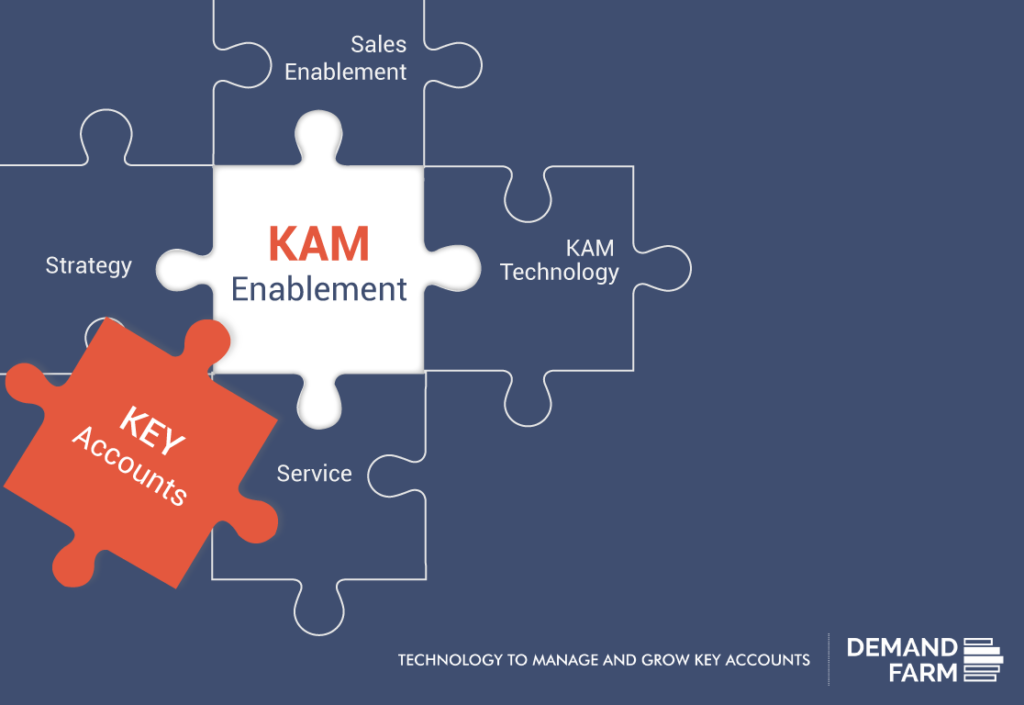
There is no debate on the need for Sales Enablement for any organization that deals with customers. To establish and maintain any kind of systematic process at scale, a sales enablement software is the cornerstone. It helps manage data, it delivers the analytical insights needed for decision making, and it automates a lot of the tasks that would otherwise take up valuable managerial time. However, for B2B companies that earn a significant part of their revenue from large, complex, global Key Accounts, there is a different set of unique characteristics and challenges that need to be addressed. These large ‘bread and butter’ accounts cannot be handled the same way- and with the same tools- that help manage regular customers. There is a need, therefore, for these B2Bs to look beyond sales enablement software for their Key Account management. They need Key Account Management Technology. It is a highly specialized enabling technology, designed specially keeping in mind the complexities and demands of Key Accounts. The objective with Key Accounts is the same as with regular Accounts- to grow them and optimize revenues from them, but how it is done is fundamentally different. The usual price and offer based solutions won’t do. The way to sustainable growth with key Accounts is by transitioning from Vendor status to Strategic Partner status. That is when the potential for ‘farming’ and mining’ the Account- selling up and across all the possible buying units in the global organization – really gets unlocked. Moreover, the only way to successfully transition from vendor to strategic partner is to identify areas of strategic interest to the Client, align with those, and be able to add and create value to those areas of business that help the client grow. So, the difference really, between sales enablement software and Key Account Management software comes down to the difference between a Sales Manager and a Key Account Manager. Both have the same mandate- to grow revenues- but the client base, the methodology, and the practices to achieve that are fundamentally different. Learn more about how KAM Enablement will help you grow your business in 2017. Download the e-book here.
√ New Year √ New Plan ? New Pain
It is the end of the year, and before we can enjoy the Christmas bonus and stuffed turkey, Key Account Management professionals have the unenviable task of reviewing the past year and creating account plans for 2017. You have probably been doing it every year, so you have a basis or a template, and all you need to do is update that, add projections, etc. But is it that simple? It is not just a sales projection; it is an account plan. We can think of dozens of questions you need to answer while planning for a key account and you can probably add on to the list as well. So where and how do you begin? Before you dig out last year’s account plan formats, the old ppts or excel sheets ask yourself these questions; “How are KAM professionals in competitor organizations and other industries preparing their account plans? Is my old method the best, most efficient way? Is there a way to make account planning easier, or to create a more thorough, robust account plan?” If you have paused to think about these questions, your first step has been in the right direction! Our experience providing KAM technology for IT service industry clients has shown us that they face challenges that are often uniquely different from those faced by other B2B industries. As we examine these challenges, we reflect on how they affect account management and how technology can ease the pain and assist with account planning. Service, an Intangible Product Organizations that have a tangible product can easily demonstrate and communicate the uses and benefits of the product. Therefore they depend primarily on the product quality and back that up or accentuate it with a brand. In contrast, the service industry has an intangible product whose benefits are not as easily demonstrable. Therefore trust or a brand name and depending on relationships and people is what attracts and retains customers. One of the benefits of KAM technology is its ability to calculate the relationships mapping strength of key accounts. Another is the convenience of having a unified view of organizational hierarchy, showing all people related to the key account, in the client’s firm and yours. Making an account plan is easy if you use all the relationship related features offered by technology; use CRM as a base, drag and drop to create a key account’s organizational hierarchy, assign a status to people based on their affinity for your company and services, plan periodic interactions between people from different hierarchical levels and more. The result, #painfreeaccountplanning, and the confidence that it provides metrics on relationship strength and throws up warning indicators as well. This year you can use specialized key account management technology to create a well-articulated account plan, one that converts relationships from hurdles into the backbone and strength of marketing. Interaction between the buyer and seller Research by Rawson, Duncan, and Jones found that customers of service industries judged satisfaction based on cumulative experiences across multiple touchpoints. In other words, each time the customer interacts with you, be it the receptionist at your head office, the automated caller menu and every client service assistant and manager, he or she is judging the experience and consciously or unconsciously rating his or her experience. A product has only one or at best a few touchpoints between the seller and the buyer. On the other hand, providing a service has multiple touchpoints throughout the life cycle of the service contract. Therefore more white space opportunities to delight or disgust the customer! Knowing this, who wouldn’t want to track customer interactions in a systematic and objective way? The solution- use KAM technology to collaborate with internal stakeholders, enumerate mutually agreed expectations and targets, and create a unified action plan. This is your chance to plan systematically and make each touchpoint an opportunity to delight your strategic account management. Make or Buy Conundrum In keeping with the holiday season, imagine you are a manufacturer of chocolates who finds he has the insufficient inventory to meet demand. Would you think of buying a cocoa plantation to increase your raw material supply, or of manufacturing a machine to temper chocolate? Probably not. You are most likely to approach sellers and buy them outright, even if you had to increase production at the cost of lower margins. But what if an IT service provider approached you with software that could better estimate cyclic consumption and enable you to plan production and inventories such that you would not face seasonal crunches? Would you consider it right now, put it off till after the holiday season production rush, wonder if the investment would really pay off or think about whether you could do something similar in-house? If you said yes to either of the last two options, you have just highlighted the challenge of selling services. Services, particularly IT services, are rarely perceived as immediate requirements. Their investment-outcome ratio is endlessly debated and often an in-house, home-grown alternative is chosen. Can you overcome the make or buy conundrum? One way to do this is to sell solutions, not services. KAM technology enables you to systematically catalog client requirements, understand the client’s end goal and align your company’s products and services to offer solutions accordingly. While key account planning this year, you can use technology to create a whitespace analysis and depending on the results, design and offer the right solutions to a key account. Creating new avenues of business from an existing client not only adds to your revenue, but it also makes the client feel valued because you are proactive in helping them meet their end goal. Customized versus Standardized Products tend to have standard specifications. Any variations or customizations are generally made at the request of customers. Hence the cost of customization is relatively easy to calculate and is often passed on to the customer. But when you sell a service as a solution, not a product, you have to customize the service